Content feed Comments Feed

Mechanical tumor, external heart, elastic cell - CPU Load Meter

Interactive media artist Mio I-zawa’s “mechanical tumor” is a quivering hunk of fleshy, organic-looking material that expands and contracts depending on the amount of stress your computer is experiencing ....
Your Ad Here

Dell Latitude Z: 16-inch notebook weighs 4.5 pounds, charges wirelessly

Dell’s got something for the business set today in the 16-inch Latitude Z, a $2000 notebook that measures just over half an inch thick, weighs 4.5 pounds, and charges wirelessly ....
Your Ad Here

The Very First Lighter Phone SB6309

Although I fully admit to chuckling quite a bit after first seeing this cellphone with a built-in cigarette lighter, I can see some practicality with it. After all, I can’t tell you how many times I’ve heard of my smoking friends losing their lighter. I’ve been asked numerous times if I happen to have a lighter on me, despite that they’re fully aware I don’t smoke. Having a lighter built into your cellphone would come in incredibly handy. After all, your phone is almost always somewhere within reach.....
Your Ad Here

Mute Your Noisy Twitter Friends With Muuter

Posted by Wonderful-Tricks

Mute Your Noisy Twitter Friends With Muuter

Every now and then, somebody you are following on Twitter starts to be annoying. One option is to un-follow such people but then you might forget to follow them back again. Also, they might realize that you are not following them and cause a sourness in your relationship.


A new Twitter application Muuter, solves this problem by temporarily muting these friends for you. Just enter the Twitter username of that person and specify the time period you want to mute them for. It can be anything from 1 hour to 1 week. If during that time period you decide to revert back, you can simply click on cancel and start receiving their tweets again. When you are putting somebody on mute, you also have the option to notify that person and/or tweet this publicly. (Why on God’s earth would somebody do that? Anyways, the option is there if somebody decides to use it).

There is no software to download and no sign-ups to do. Simply go to Muuter.com and sign in to your Twitter account. After you grant Muuter access to your Twitter account, you will be all set to use it.

Link: muuter

Easiest 12 Ways of Share Files on Twitter

Posted by Wonderful-Tricks

Easiest 12 Ways of Share Files on Twitter

If you are Twitter fan and love file sharing, then here are 12 cool sites that allow you to share files with your friends on Twitter.
All you got to do is upload the file on the site, get the short URL and tweet it on your Twitter account. Just by clicking on the short URL your friends would be able to download the file onto their system. Tweeting can definitely be a faster way to share files with friends rather than sending an email.


1. TwitFS


This is a special file-sharing service for the Twitter. Allows you to share a files with your Twitter followers. Have three account types. And two of them are free. With free account allows you to directly link to your files and upload up to the 250 Mb per file.


TwitFS - File Sharing for Twitter


2. FileTwt


FileTwt brings file sharing to twitter. With FileTwt you can now easily upload and tweet about your files for free. Share files up to the 20 Mb per file without any other limitations.


FileTwt brings file sharing to twitter.


3. TwitVid


Share videos on Twitter from your computer, your mobile phone, or your webcam. Very nice and advanced tool for sharing videos online through your Twitter account.


Share videos on Twitter


4. TweetCube


Allows you to share files on Twitter. Simple as that. Blast out your images, videos, music and more with just a couple of clicks, and your files are automatically posted on Twitter.


Allows you to share files on Twitter. Simple as that.


5. Flickr to Twitt


Ever wanted to post a photo on Flickr and announce it right away on Twitter? That what’s flick.to.twitt allows you to do! Very nice and cool too, specially useful if you use both services.


Share Flickr Photos on Twitter


6. TwitDoc


The easiest way to share your documents on Twitter. Documents: Files up to 15 MB, Graphics / Photos: Files up to 10 MB and Video files up to 25 MB. Very nice and simple service indeed.


The EASY way to share your documents on Twitter.


7. FileSocial


FileSocial is the easiest way to share files on Twitter. You can upload any kind of file, from pictures to videos,PDFs or Power point… Whatever you want!


Share your files on Twitter easily, securely and completely free.


8. FileTweet


Filetweet lets you send files to your Twitter followers. All you need is a Twitter account – your files are sent by DM. Very nice and simple-to-use service with nice interface.


lets you send files to your Twitter followers.


9. Tinytw.it


Upload and share files from your computer on your Twitter account. Also allows you to create a short URL’s for any of your request and directly update your Twitter status. Very nice and simple tool indeed.


Do more with Twitter


10. Acamin


Share files with your Facebook, Twitter and LinkedIn friends. Upload a file 15 Mb in max. size and share it on these services with your friends or followers completely for free.


Acamin - Share files easily with Twitter, Facebook or LinkedIn


11. Twi.tt


Allows you to directly share almost anything you can with your Twitter followers. Including Pictures, Videos, Documents, Audio files or even interactive polls! Very cool!


Share anything on Twitter


12. TwitPic


One of the most popular file-sharing site for the Twitter. It’s oriented to share a images through the Twitter with your followers and friends. Very easy-to-use and integrated into many popular Twitter apps.


Share photos on Twitter


One of the world's top PC makers has been using Twitter to help earn a profit for the company this year. Using the popular microblogging tool, Dell has actually seen some stunning results.
In a blog post on June 11, Dell revealed that since 2007 it has generated more than $2 million USD from click-through sales on their Twitter account (@DellOutlet).


The company also said if you factor in new system purchases that come from the Twitter account, it's actually more than $3 million overall sales.

"We’re seeing people come from @DellOutlet on Twitter into the Dell.com/outlet site, and then ultimately decide to purchase a new system from elsewhere on Dell.com," the blog post reads.

The news comes as Twitter is still working on ways to make money from its service, which is becoming more expensive to run every day. The company has not ruled out possibly charging companies for this service in the future, or even possibly taking a cut of sales resulting from user purchases.

"For now, monetization of this type of activity remains unknown, however, as the network grows, the company will be committing more resources toward profitability." Twitter spokeswoman Jenna Sampson told Reuters in a statement.

As the @DellOutlet account continues to grow -- now almost reaching the top 50 Twitter accounts range -- the amount of money made is sure to increase. Dell is hoping to continue using the service to promote deals and specials and give out special coupons.

Dell is now a strong believer in Twitter, and also promotes other accounts such as @DellHomeOffers, @DellSmBizOffers and @DellHomeSalesAU. They have even created a page at dell.com/twitter to show all their accounts

Source

Search Google & Twitter simultaneously!

Posted by Wonderful-Tricks

Always wanted to search on Google and Twitter?
Well, now you can! Twootles let’s you search on Google and Twitter at the same time.
In the future we would like to add some new features, but for now, enjoy!
Twootles might just come in handy for faster results online. Give it a try!


Visit twootles

Looking for Twitter bird logo ? Twitter bird icons ? Twitter bird in vector, eps or psd or png format..? then, here is a treat for you.. Adding a cool Twitter graphic to your website/blog can encourage your site visitors to follow you on twitter.
Here is my collection of excellent Twitter bird vector logos,Twitter icon sets,etc. All these are 100% Free to download.


Cute Twitter Bird Vector Art - by Smashing Magazine

Cute Twitter Bird Vector Art Format : Vector (.eps), photoshop (.psd)

Twitter Bird Follow me Button : by IconTexto

Twitter Bird Follow me buttonFormat : png

Tweet Tweet Vector Icon set : by Productive Dreams

Tweet Tweet Vector Icon setFormat: Vector (psd) , png

Free Twitter Bird Icon : by TheDesignSuperHero

Free Twitter Bird Icon pngFormat : png

Twitter Bird Icon set : by Productive Dreams

Twitter Bird Icon setFormat : png

Free Twitter Birds : by Luc Latulippe

Free Twitter Birds in vector formatFormat : vector (eps)

Twitter Social Bookmarking Icon : by IconTexto

Twitter Social Bookmarking IconsFormat : Icon (.ico)

Free Vector Twitter Icons : by 404Creative

 Free Vector Twitter IconsFormat : Vector Illustrations (eps)

Free Twitter Buttons : by Randa Clay

Free Twitter Bird ButtonsFormat : png

Tweeties : by Chris Wallace

Tweeties iconsFormat : Vector Illustrations (eps) and png

Happy Twitter Birds : by Adams

Happy Twitter BirdsFormat : Photoshop (psd) , png

Twitter Follow me Icon : by antonist ~ deviantart

Twitter follow me icon with black backgroundFormat : Jpg file

High Resolution Twitter Graphics : by TheDesignerSuperHero

Twitter Bird Photoshop psd graphicFormat : Vector Graphic (psd) , png

TwitterBird : by Lisa

Twitter BirdFormat : jpg

Cool Twitter Bird : by chibbell
Lol.. I really like this one sengihnampakgigi

Cool Twitter birdFormat : jpg


Know any good Twitter Bird design ? Share with us..


Credits:bloggertricks.com

Head of U.S. Armed Forces Joins Twitter

Posted by Wonderful-Tricks

Admiral Mike Mullen, who is the highest ranking military officer in the U.S. Armed Forces, has just joined Twitter at @thejointstaff - maybe his boss @BarackObama convinced him.


Admiral Mullen is currently touring India & Pakistan with Richard Holbrooke as part of US’ Af-Pak policy.

Yet another high for Twitter.

Source/Credits:labnol.org

Twitter is the world’s most popular micro-blogging platform and it’s growing at an exponential rate. Many people use Twitter for several reasons such as celebrities creating a so-called fan page to post updates that allows fans around the world to read them, bloggers promoting their blog and some others sharing their thoughts and opinions towards a particular subject. From the reasons I’ve mentioned above, you’d have noticed that Twitter doesn’t seems to attract any kids probably around the the 13-16 age group at all. My peers will definitely be either on Facebook, finding new friends and interacting with them or hanging out in online gaming platforms.


Yes, I’d say that the numbers are growing but they only make up a small percentage of the Twitter population as kids don’t really bother much about the social web and the advanced technology world we are currently living in. I’ve personally asked my friends and classmates “What is Twitter?” and I’m not surprised that they gave me the weird look which obviously shows that they didn’t know how this popular social platform.

However, some kids have shown tremendous results of which a couple of them have managed to attract over 10,000 followers on Twitter! So who are these 5 kids? Check out the list below…

1. @TechXav - 49,153 followers


Name: Xavier Lur


Age: 15


Following: 47,163


Updates: 2,161


Bio: 15-Year-Old Tech Blogger, Student, 100 Meters Sprinter


techxav


2. @StanleyTang - 33,621 followers


Name: Stanley Tang


Age: 16


Following: 34,814


Updates: 1,599


Bio: 16-Year-Old Internet Entrepreneur, Marketer, Blogger, Pianist, Student. #1 Best-Selling Author of eMillions - www.eMillionsBook.com


stanleytang


3. @GotMelik - 20,201 followers


Name: Melik Yuksel


Age: 14


Following: 19,731


Updates: 4,748


Bio: 14-year-old Blogger, Web and Graphic Designer, and Entrepreneur. Senior member of 9miles Media, a design company. Tea and grapefruit juice lover.


gotmelik


4. @JoshLam - 13,078 followers


Name: Josh Lam


Age: 16


Following: 12,258


Updates: 1,602


Bio: 16 year old Internet Marketer, Web Designer and Tech Blogger. Check out my blog.


joshlam


5. @JoelDrapper - 10,383 followers


Name: Joel Drapper


Age: 15


Following: 148


Updates: 3,430


Bio: I am STILL a 15 year old blogger, and web designer/developer.


joeldrapper


Credits: Xavier Lur

The 10 Best Twitter Tools You Must Use

Posted by Wonderful-Tricks

If you are a Regular Twitter User and Love Twitter then you will find these Twitter Tools Amazingly Useful. Managing your followers and friends on Twitter is not easy. And its a fact that your success in Twitter is proportional to how active your followers are.

So one will always be trying to have the best followers they can get and so here are some Twitter Tools which will help you in doing so.


1. Mass Unfollow Twitter Friends those who are not following you back with - Huitter.
2. Automatically Unfollow all inactive Twitter accounts you are following with - MyCleener
3. Find out common users following and being followed by two accounts : Who follows whom
4. Manage your Twitter friends and followers with tags - Twittangle
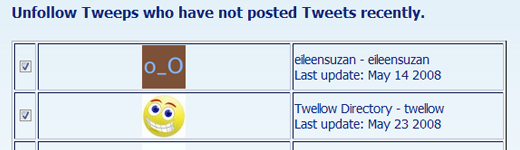
5. Unfollow Twitter people who have not updated within “X” amount of days - Untweeps
6. Find out which Tweet made you popular and which one un-popular-Tweet Rank
7. Find out your Twitter ReTweet Rank - ReTweetRank
8. Find out who’s following who on Twitter - FriendorFollow
9. Find out common Twitter followers between accounts - TwtrFrnd
10. Find relevant and interesting Twitter users to follow - Mr.Tweet

Source

Qwitter e-mails you when someone stops following you on Twitter with a message . When someone stops following you on twitter, Qwitter sends an email to you which you mentioned in the Qwitter.For this you have to submit the Twitter username you want to track and your e-mail address.This is really helpful service to track your followers.


This may be useless for Twitter users who have hundred and thousands of followers, but for small users who have only a hundred or a few hundred followers - this is a valuable service. Now you can finally know what your followers are doing.


Link : Qwitter

Follow me on Twitter !

Tweet + Quick = Twickly

Posted by Wonderful-Tricks

In a bid to help Twitter users to post tweets much faster than before, the founder of Twickly has developed this interesting and useful service. Having a pretty nice name which simply combines the two words “tweet” and “quick” together together and changes the name a little, what Twickly does is that it offers several common mesasge templates such as “I’m running late!”, “Congragulations with your” and “Time for my coffee break” and then you complete it with whatever you want to convey in your updates. This really helps to save effort and time but of course not significantly. Before you submit your Twickly Tweet in 140 characters, you’d have to provide your Twitter credentials.


Actually, I personally find that this service doesn’t really helps much as typing an extra few words wouldn’t take up much time. Also, punching in username and password everytime you want to post a tweet seems quite annoying. But at least Twickly is indeed an unique creation and I’m still impressed by it.

Add ‘Tweet This’ Link to your Blogger

Posted by Wonderful-Tricks

Twitter can be a great source of traffic for your blog.

Now if you want to make it easy for your site visitors to share links of your blog articles on Twitter, follow the instructions below - you don’t need any plug-ins and the post URLs are automatically shortened in the tweet via bit.ly (a good alternative to tinyurl that also provides live traffic statistics).


Go to your Blog Layout -> Edit HTML and click the box that says "Expand widget templates".

Take a backup of your Blogger template. Now search for the class "post-footer" in the Blogger XML template and copy-paste the following snippet somewhere near that class.

<b:if cond='data:blog.pageType == &quot;item&quot;'>
<script charset='utf-8' src='http://bit.ly/javascript-api.js?version=latest&amp;login=tweettrackjs&amp;apiKey=R_7e9987b2fd13d7e4e881f9cbb168f523' type='text/javascript'/>
<script charset='utf-8' src='http://s.bit.ly/TweetAndTrack.js?v=1.01' type='text/javascript'/>
<a expr:onclick='&quot;return TweetAndTrack.open(this, \&quot;&quot; + data:post.url + &quot;\&quot;);&quot;' href='#'>
<span style='display:none;'>Reading: <data:post.title/></span>Post Link to Twitter</a>
</b:if>

That’s it. If you want to replace the “Tweet This” link with a graphic of the Twitter bird, add an IMG tag instead of text

If you follow a decent number of friends on Twitter just like me, most probably it’s tough to track all your friends whether do they update frequently or not especially when you’ve hundreds or probably thousands of friends. Sometimes, you’d want to find out who are those “inactive” users or pesky friends spammer whom you’re following and would like to filter them from the list by unfollowing them. This is when an amazing Twitter tool called Twitoria comes in really handy.


By punching in your Twitter’s username (no credentials are required), you can select the duration of being inactive (past week, 2 weeks, month, 2 months, 6 months and 1 year. It’ll then presents you a page with the username of the inactive user, number of followers, how many days he or she has been inactive and last posted tweet.

However, there are some limitations with the service. Due to Twitter’s public API, only a maximum of 100 friends are filtered through per page. This will be somehow a little annoying and troublesome because one would have to continue the process for many times as 100 friends are combed at a time. For me, it requires me quite a while to browse through over 26,000 friends!

In conclusion, Twitoria is indeed an unique and useful creation as it really benefits many users who are willing to “mass unfollowing” those people who have either joined Twitter for just a few days and leave the micro-blogging platform due to some reasons or a spammer whom you’ve accidentally followed while following users.

Blogumulus by Wonderful-Tricks

Followers